
There are four landing Pages when you log in to MB with a browser
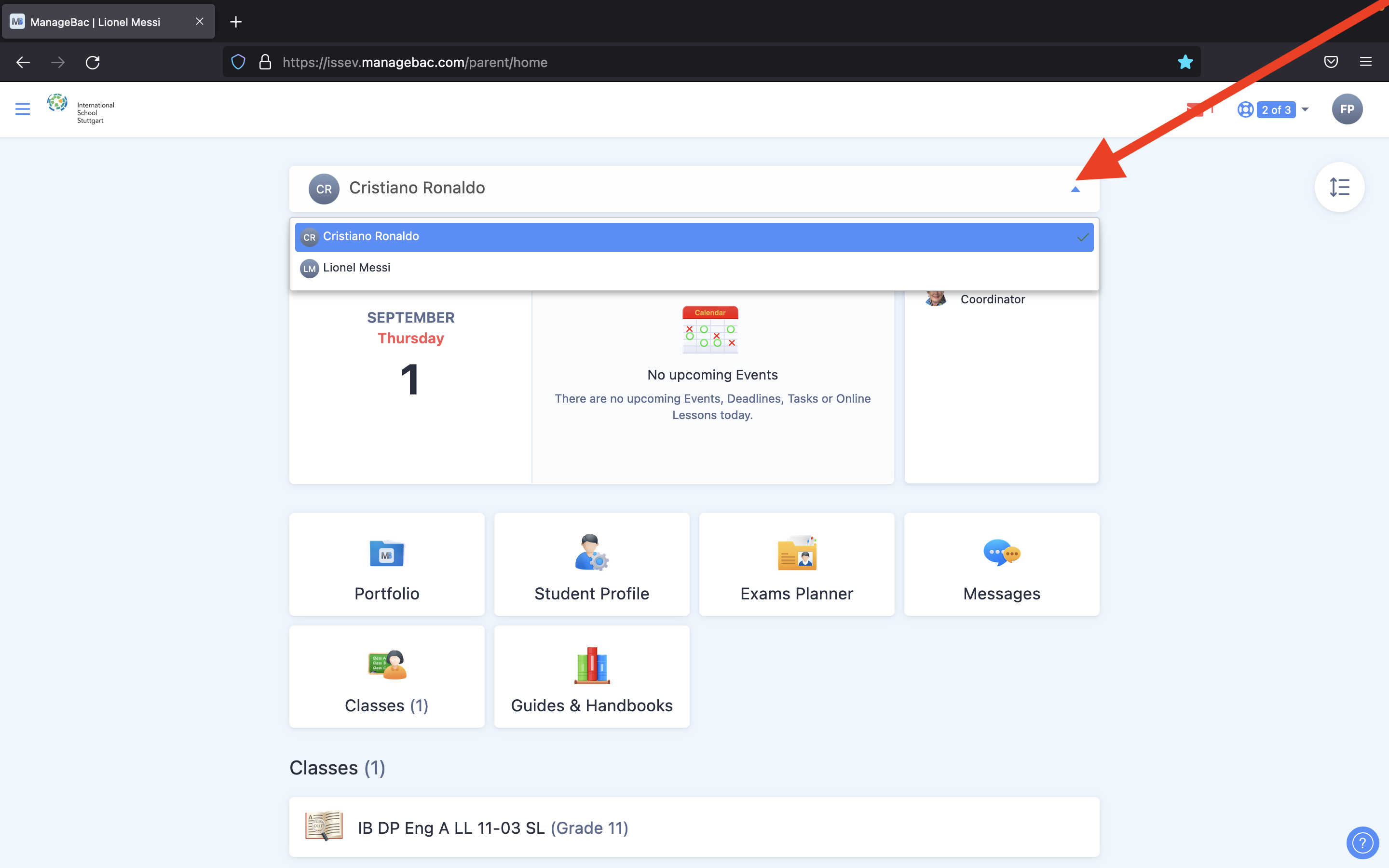
The default is this view. Here you can switch between students from the drop-down menu.
Configure the Landing Page
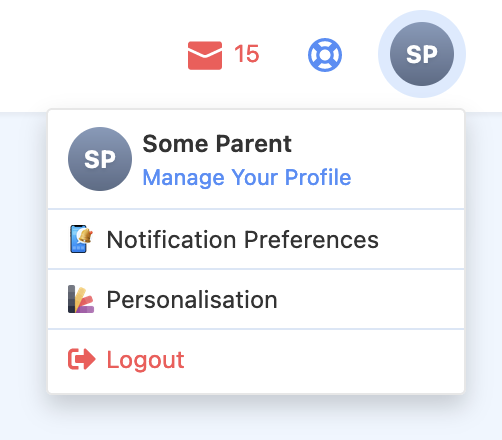
You can customize this landing page by changing the settings in the top right corner.

Alternative Landing Pages
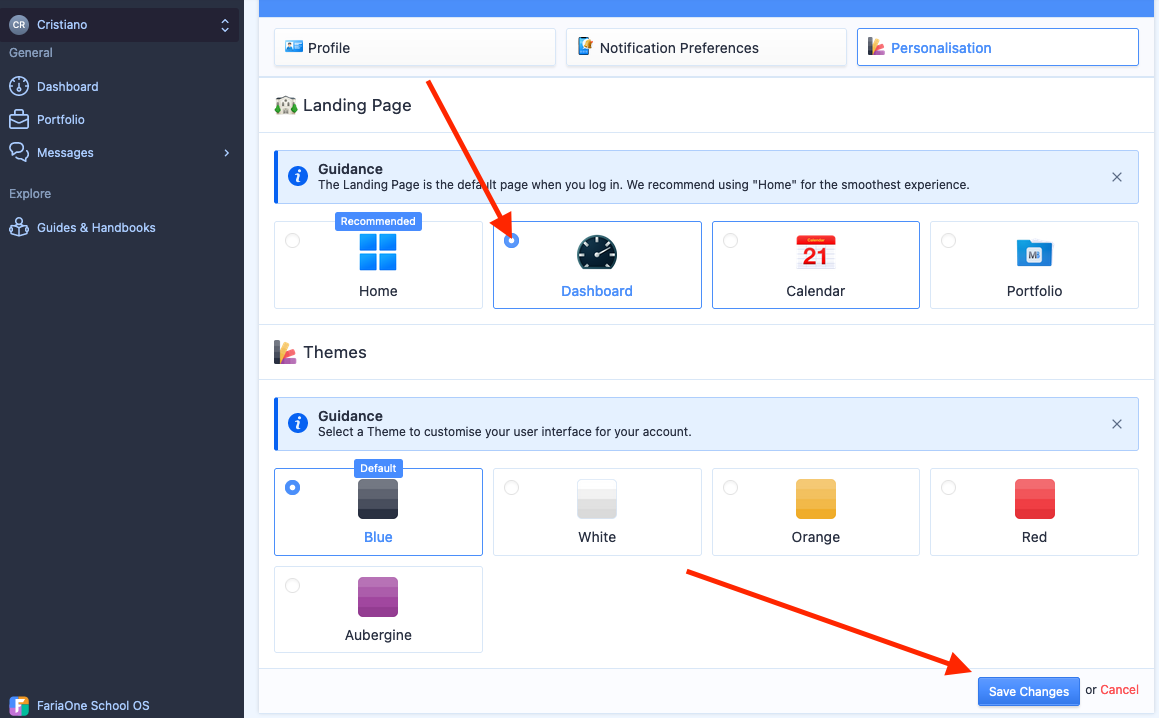
Or you can set alternative landing pages in the Personalisation settings.
For example, Dashboard is a very popular landing page. Make sure to "Save Changes".
Comments
0 comments
Please sign in to leave a comment.